Cloud-based car rental managementMulti-language operationsSecure online booking
System modules

Car rental software modules for every daily workflow.

Manage reservations, fleet availability, customers, payments and reporting in one connected platform. Each module focuses on a daily rental task without creating separate records or extra manual work.

Easy Web Rent modules
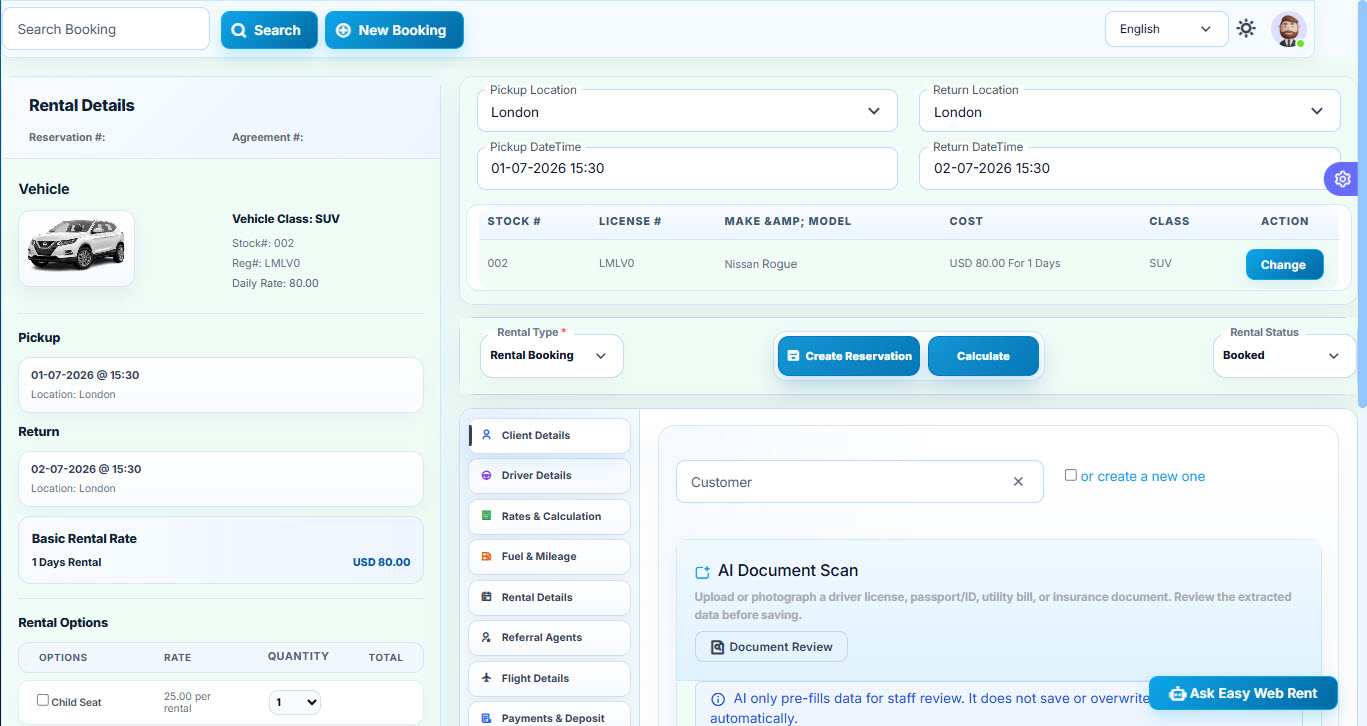
Reservations & Rental Agreements
Reservation workflow

Reservations & Rental Agreements

Manage quotations, reservations, rental agreements, customer and driver details, rates, extras, taxes, signatures, payments, invoices, vehicle changes, and check-in workflows.

  • Quotation, reservation, and rental modes
  • Availability search and vehicle selection
  • Contracts, invoices, signatures, print, and email
  • Payments, deposits, balances, and check-in
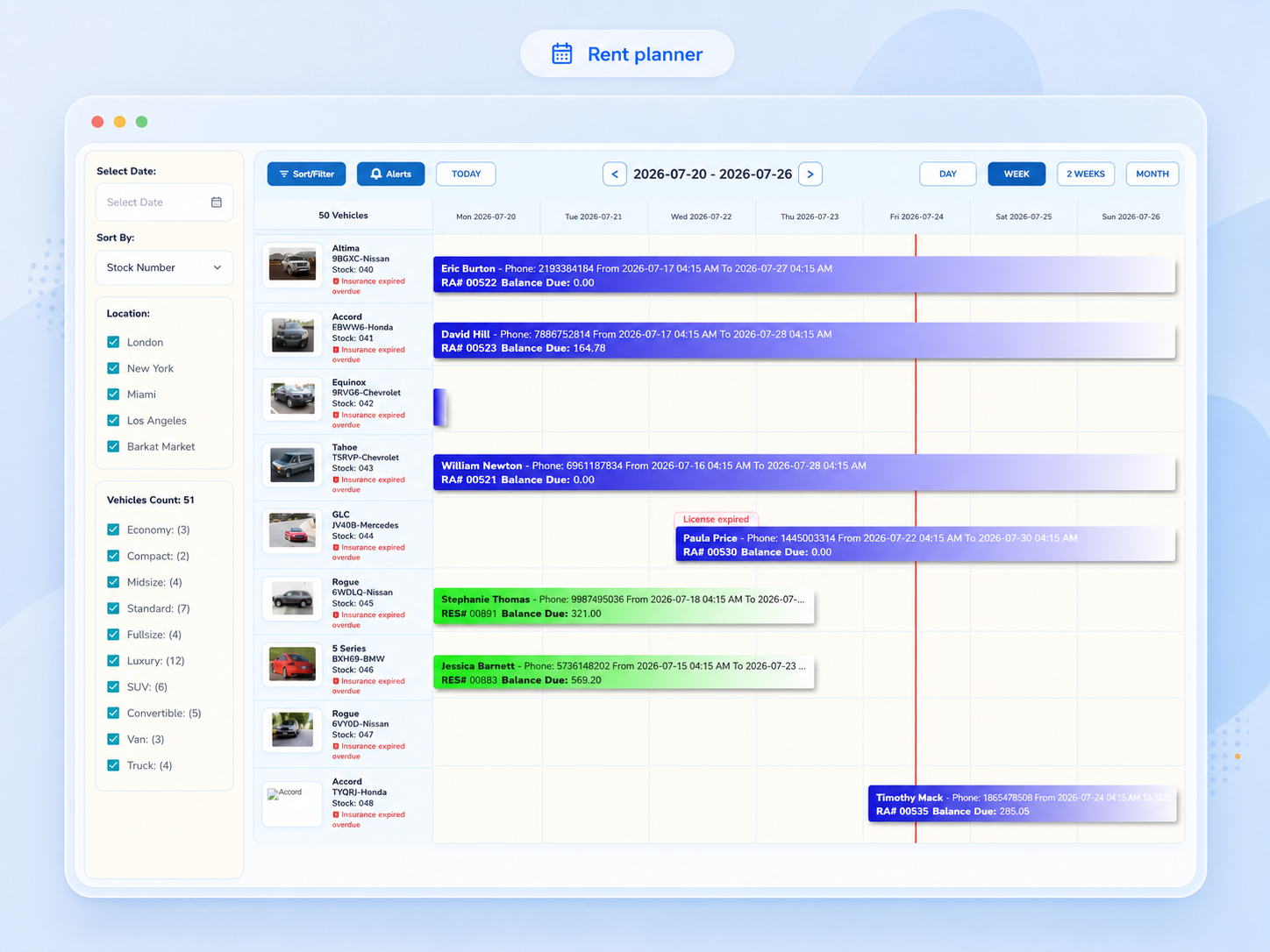
Visual Rent Planner
Planning workflow

Visual Rent Planner

Visualize rentals, reservations, availability, service requirements, inspections, insurance reminders, and operational scheduling across the fleet.

  • Day, week, two-week, and month views
  • Vehicle and class planning
  • Availability and conflict visibility
  • Configurable planner colors and alerts
Fleet Management
Fleet workflow

Fleet Management

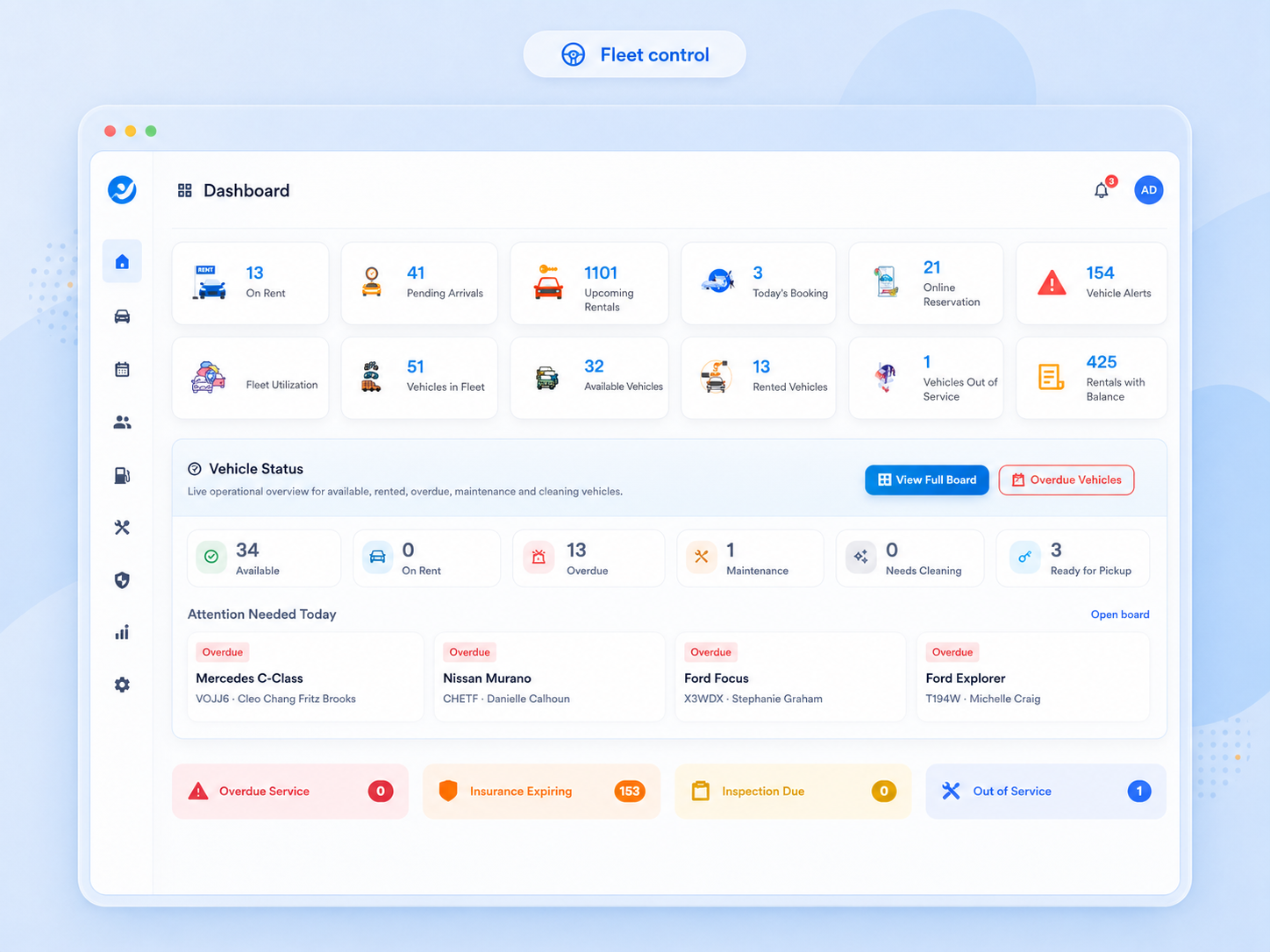
Maintain vehicle profiles, classes, pictures, documents, technical details, ownership, rates, maintenance, expenses, insurance, location, status, and rental history.

  • Vehicle and class administration
  • Maintenance and expense tracking
  • Status, cleaning, service, and transfer control
  • Documents, pictures, rates, and history
Reports & Business Analytics
Reporting workflow

Reports & Business Analytics

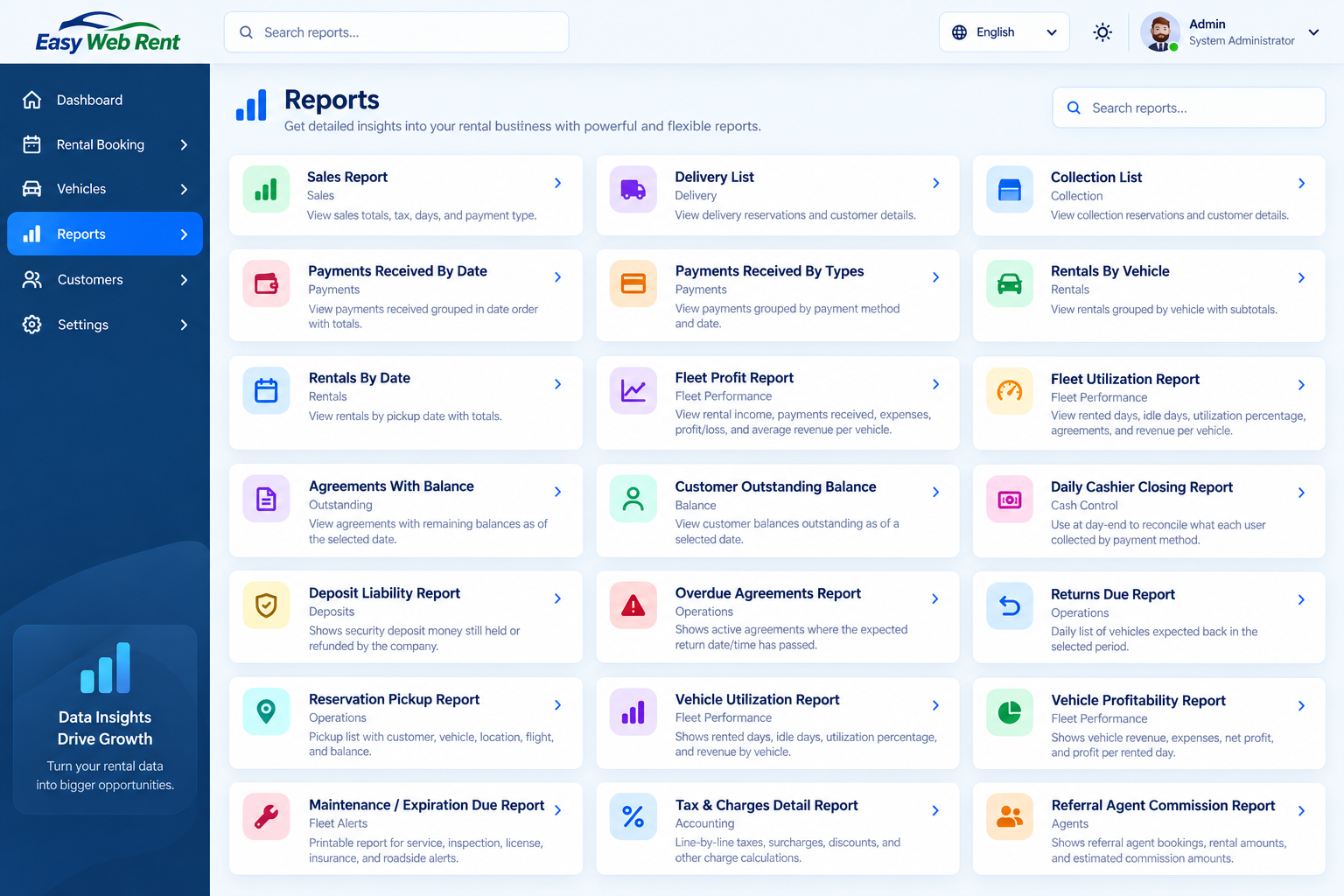
Review rental performance, sales, payments, collections, customer balances, delivery activity, vehicle rentals, utilization, expenses, and other operational metrics.

  • Operational and financial report groups
  • Filters by period, location, user, vehicle, and status
  • Print, PDF, and export-oriented views
  • Management oversight and audit support
Website & Online Booking
Customer workflow

Website & Online Booking

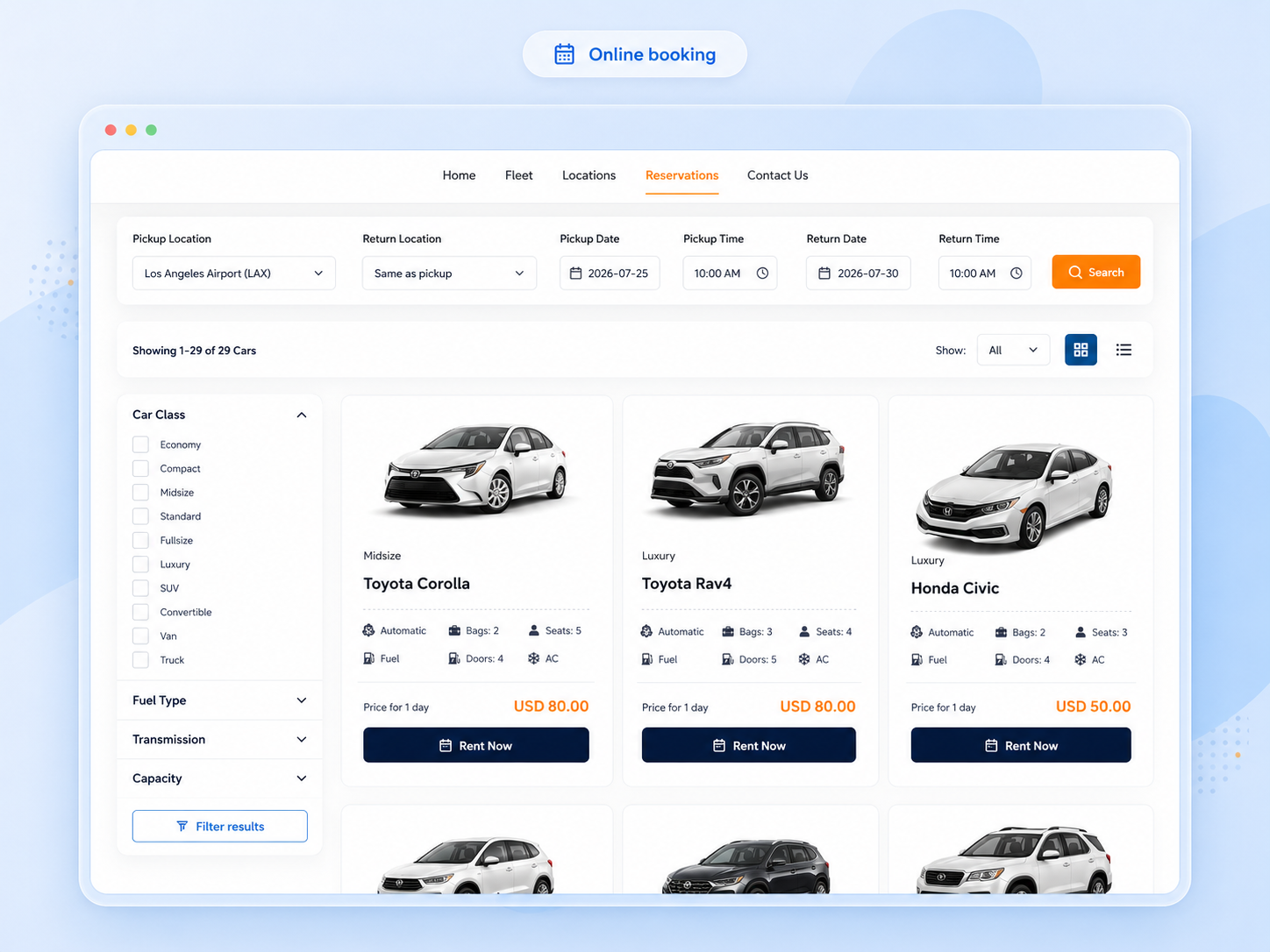
Give customers a responsive channel to browse vehicles, check availability, select add-ons, complete checkout, use configured payment options, and receive confirmation.

  • Vehicle listing and detail pages
  • Availability and rate calculation
  • Extras, checkout, and payment workflow
  • Confirmation and customer communication
Integration platform

Connect Easy Web Rent with your business tools

Connect approved services and exchange information with other business systems through APIs, webhooks, imports and exports. Technical configuration and access controls help keep these integrations managed.

  • Authenticated staff and managed client access
  • Public booking and private reservation reference flows
  • Partner APIs with restricted scopes
  • Webhook delivery, history, test, and retry

Explore the API

Create reservation
POST /api/v1/reservations
Authorization: Bearer <token>
Idempotency-Key: ewr-2026-001

{
  "pickup_location_id": 1,
  "return_location_id": 1,
  "vehicle_class_id": 4,
  "customer": { ... }
}
In practice

Choose software modules around your rental workflow

Start with the work your team performs every day, then explore the related Easy Web Rent tools and real product screens.

Front-desk operations

Start with the reservation and rental agreement modules when staff need quotations, customer identification, vehicle assignment, signatures and check-in or return records.

Explore related information →

Fleet and scheduling

Combine the visual rent planner with vehicle records when you need to see which cars are booked, available, under service or awaiting attention.

Explore related information →

Online sales

Connect the booking website with fleet availability and pricing so customers can explore cars and place reservations using your configured checkout options.

Explore related information →

Finance and oversight

Use payments, deposits and management reports to follow receipts, unpaid balances and business performance.

Explore related information →

Customer communication

Use templates, configured notifications and supported integrations to keep customers informed about booking milestones and follow-up needs.

Explore related information →

Growing rental operations

Review locations, vehicle classes, taxes, charges and user permissions as your rental business expands; request a demonstration for the workflows your company needs.

Explore related information →
Helpful answers

Frequently asked questions

Do all modules share the same rental information?

Core operational modules use connected reservation, customer and vehicle records, reducing duplicate data entry between common rental workflows.

Which modules should a small car rental company start with?

Reservations and agreements, fleet management, rates, payments and reporting cover the most common daily tasks. Online booking can extend the process to customers.

Can I review the software before choosing a plan?

Yes. Request a trial to evaluate the workflows that matter to your business. The pricing page describes available plans and fleet-size options.

Can the software connect with other systems?

Easy Web Rent provides integrations and API-related capabilities. Availability and setup requirements vary by provider and workflow; discuss specific needs before deployment.

Choose the modules that matter to your operation.

A product demonstration can focus on the workflows, integrations, reports, and website experience relevant to your business.