Dashboard
Daily overview of fleet activity, reservations, returns, and alerts.
Preview the screens your team will use to manage reservations, rental agreements, fleet availability, reporting and online bookings. For a closer look at how these workflows fit your business, request a guided demonstration.
Daily overview of fleet activity, reservations, returns, and alerts.
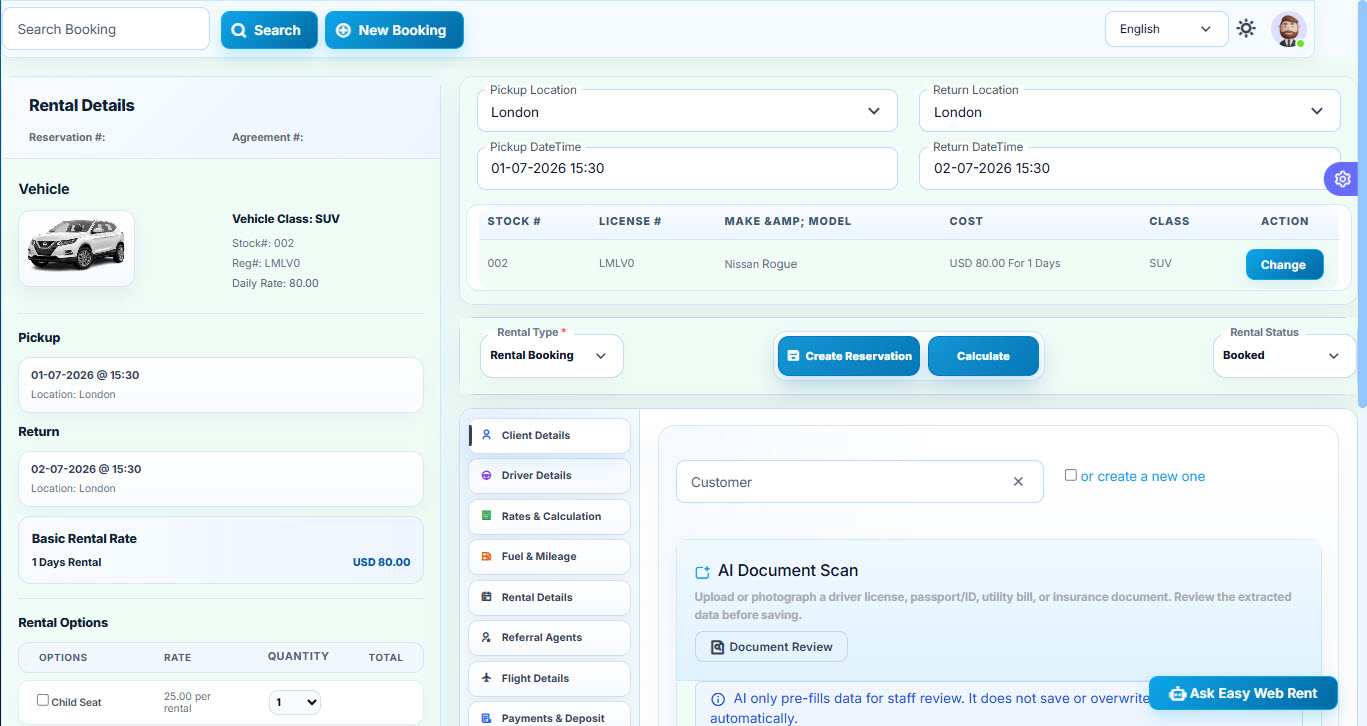
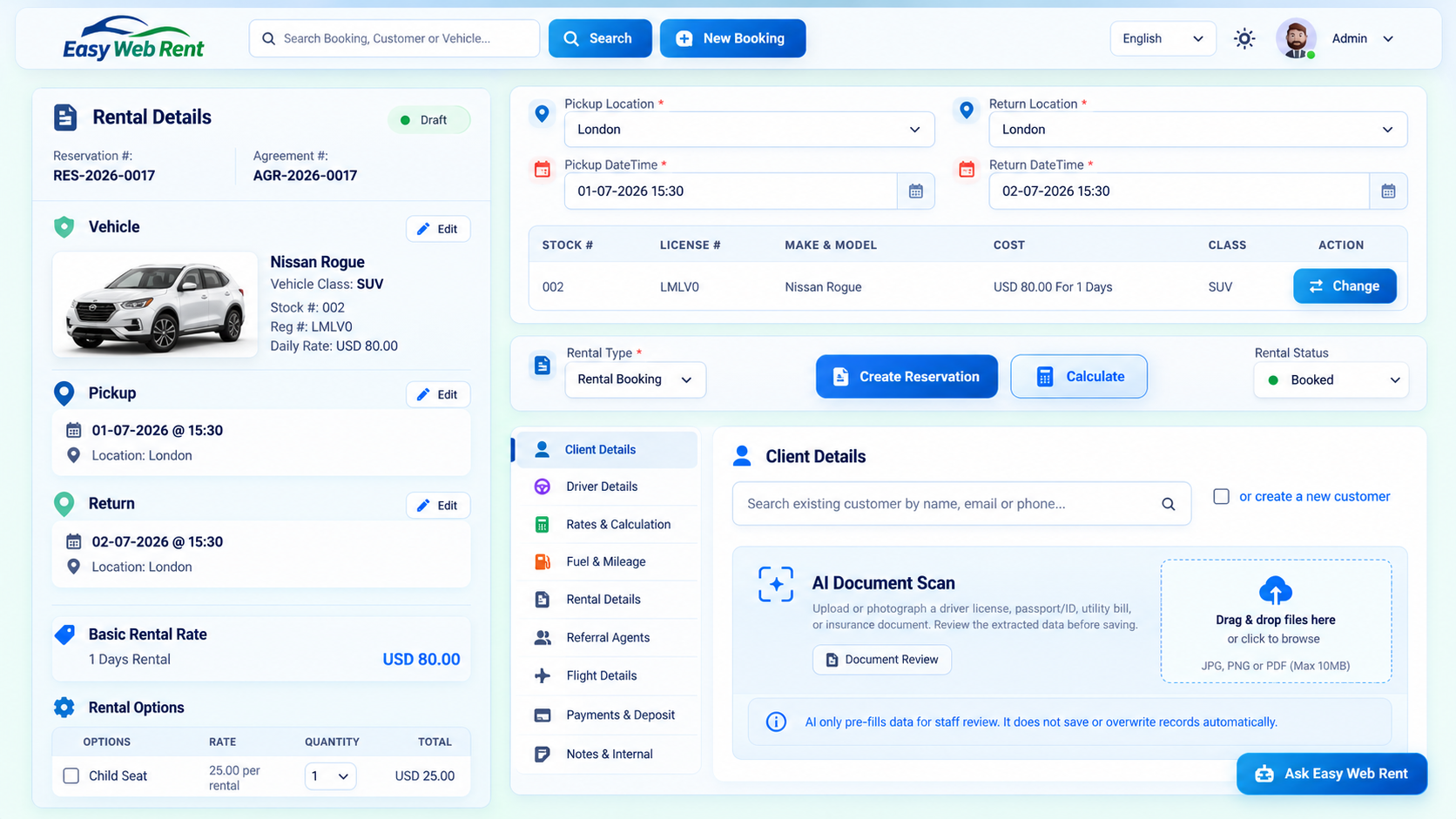
Reservation entry and agreement summary workflow.
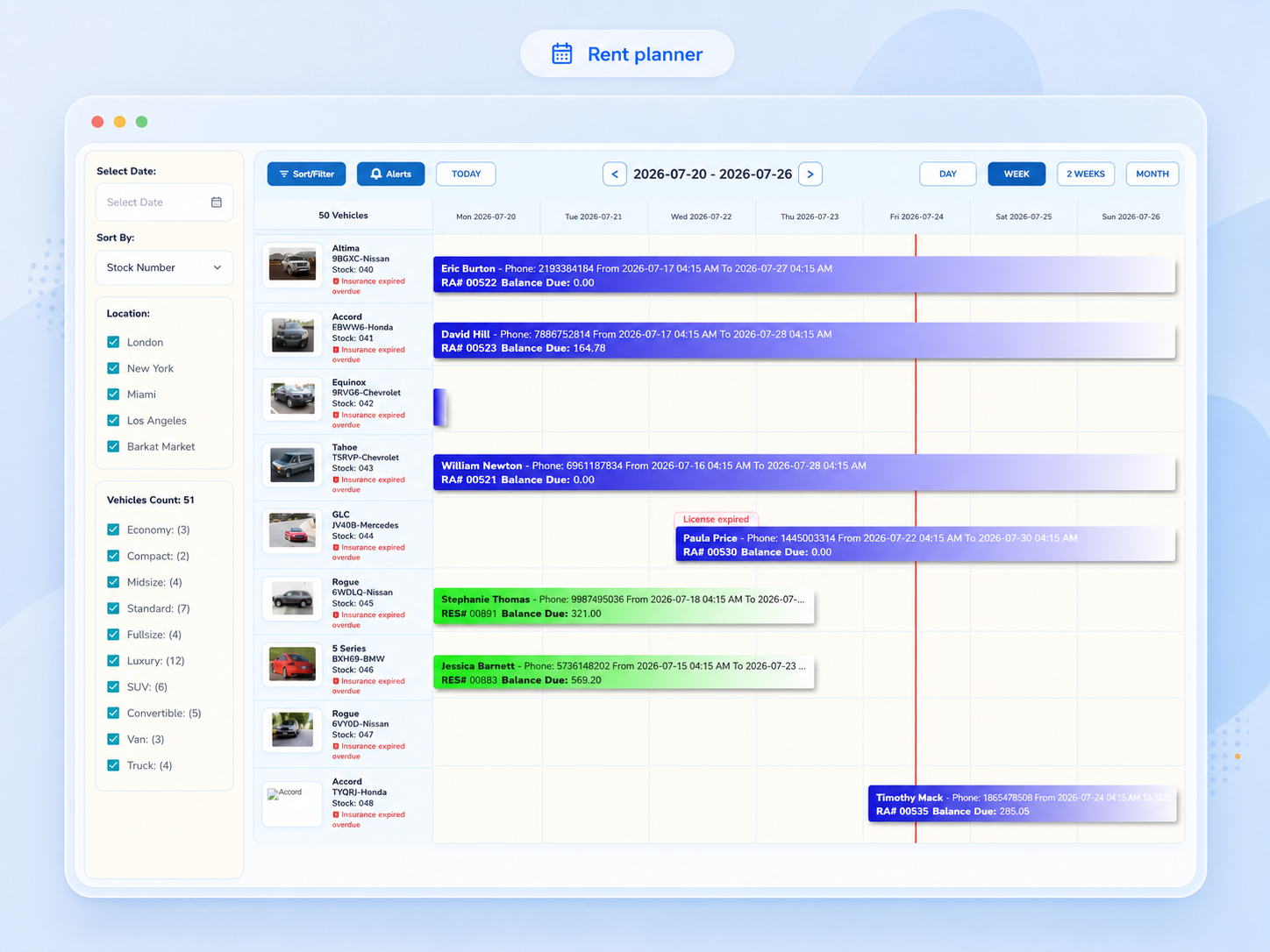
Visual scheduling across vehicles and dates.
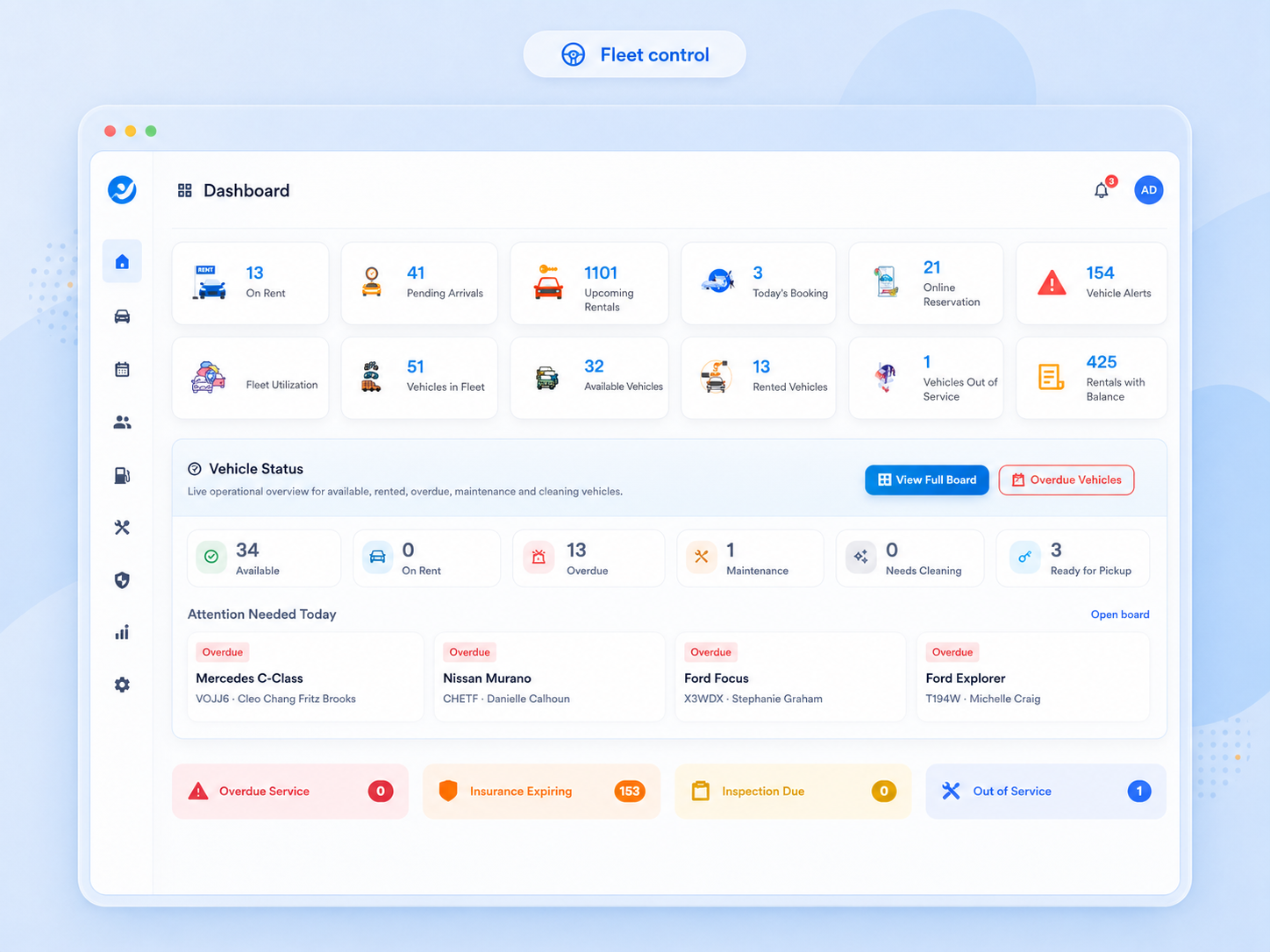
Fleet status, class, plate, and service visibility.
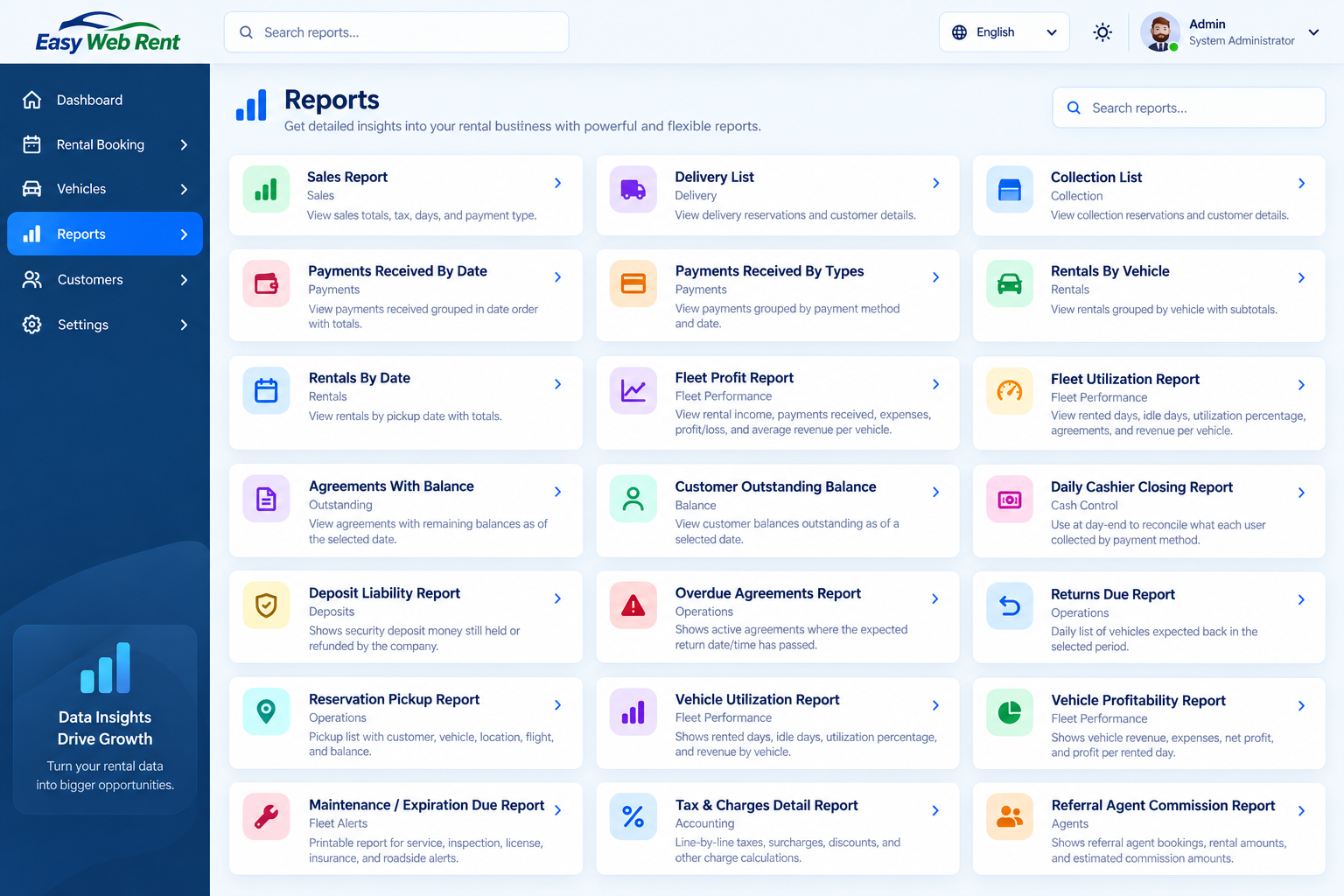
Revenue trends and operational report categories.
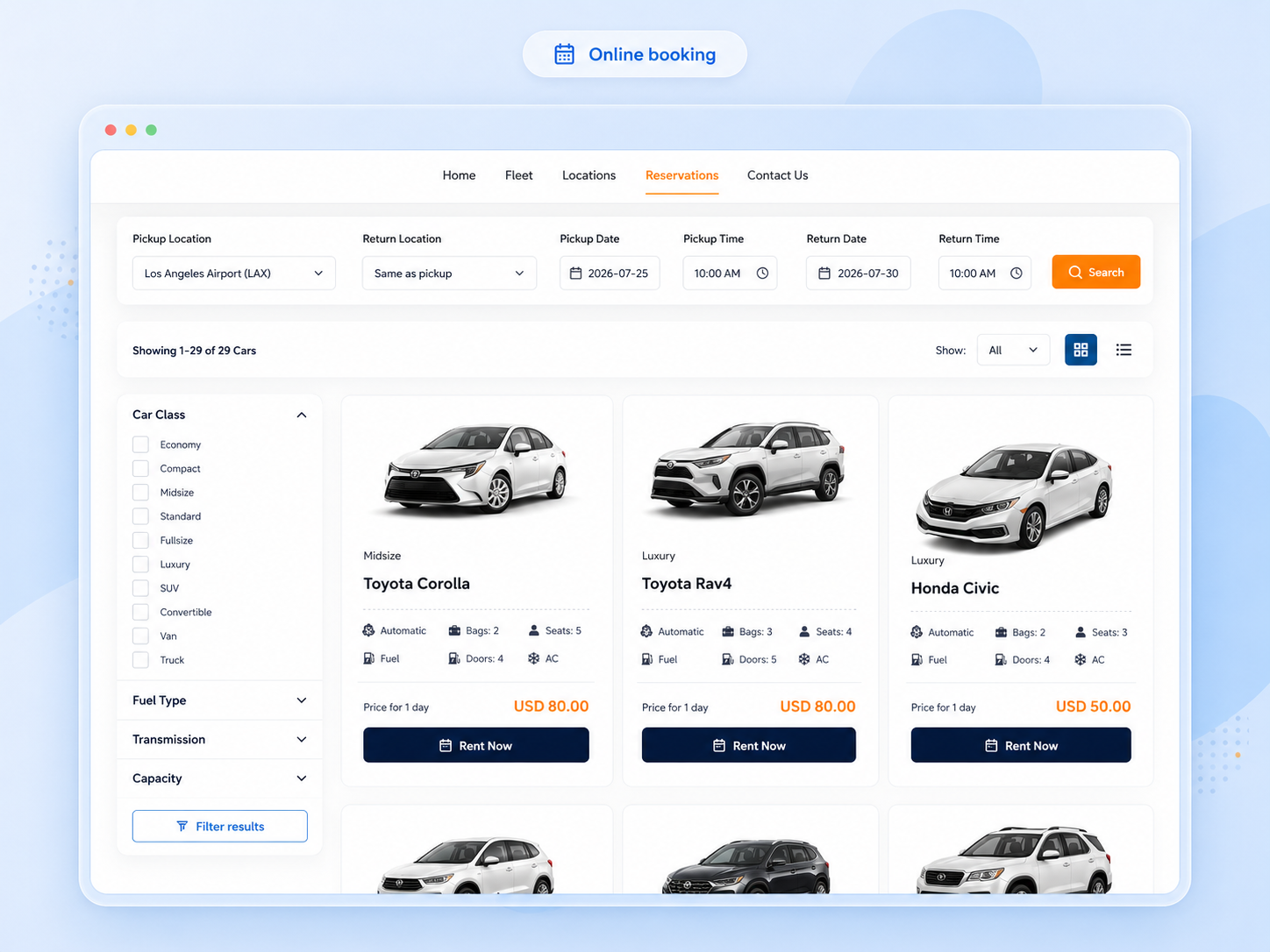
Customer-facing vehicle selection and reservation experience.
Follow the stages of a rental operation and open the corresponding genuine product screenshots above. Each screen illustrates a different part of the same business workflow.
Check the fleet and rent planner before confirming a vehicle and rental dates.
Explore vehicle planningCapture customer and driver information and prepare the rental agreement in one workflow.
Explore reservationsReview charges, track rental payments and monitor business activity through operational reports.
Try the workflowsScreenshots provide a starting point. The best way to evaluate car rental software is to test the workflows your team uses each day.
Yes. Request a trial to evaluate reservations, agreements, availability and other relevant workflows in the software.
The rent planner provides a visual view of vehicle availability across dates. See the features overview for how this fits with reservations and vehicle management.
Review the online booking and booking-management screenshots, then discuss your website and payment requirements when requesting a demonstration.
Compare the available fleet-size options and subscription details on the pricing page.
Request a guided demonstration covering availability search, booking creation, payments, fleet control, check-in, reports, and online reservation.